
Walkthrough
FreightFlow, step by step
A freight brokerage already has a system for loads, quotes and invoices. FreightFlow sits beside it and answers what needs attention, who should act and whether it was resolved. Here is that path in six screens.
These are screens from the working prototype, which runs on invented loads, carriers and people. It does not connect to a real transportation management system, and it has not been measured in a live brokerage.
Step 1 · Dispatcher
Start from what needs attention
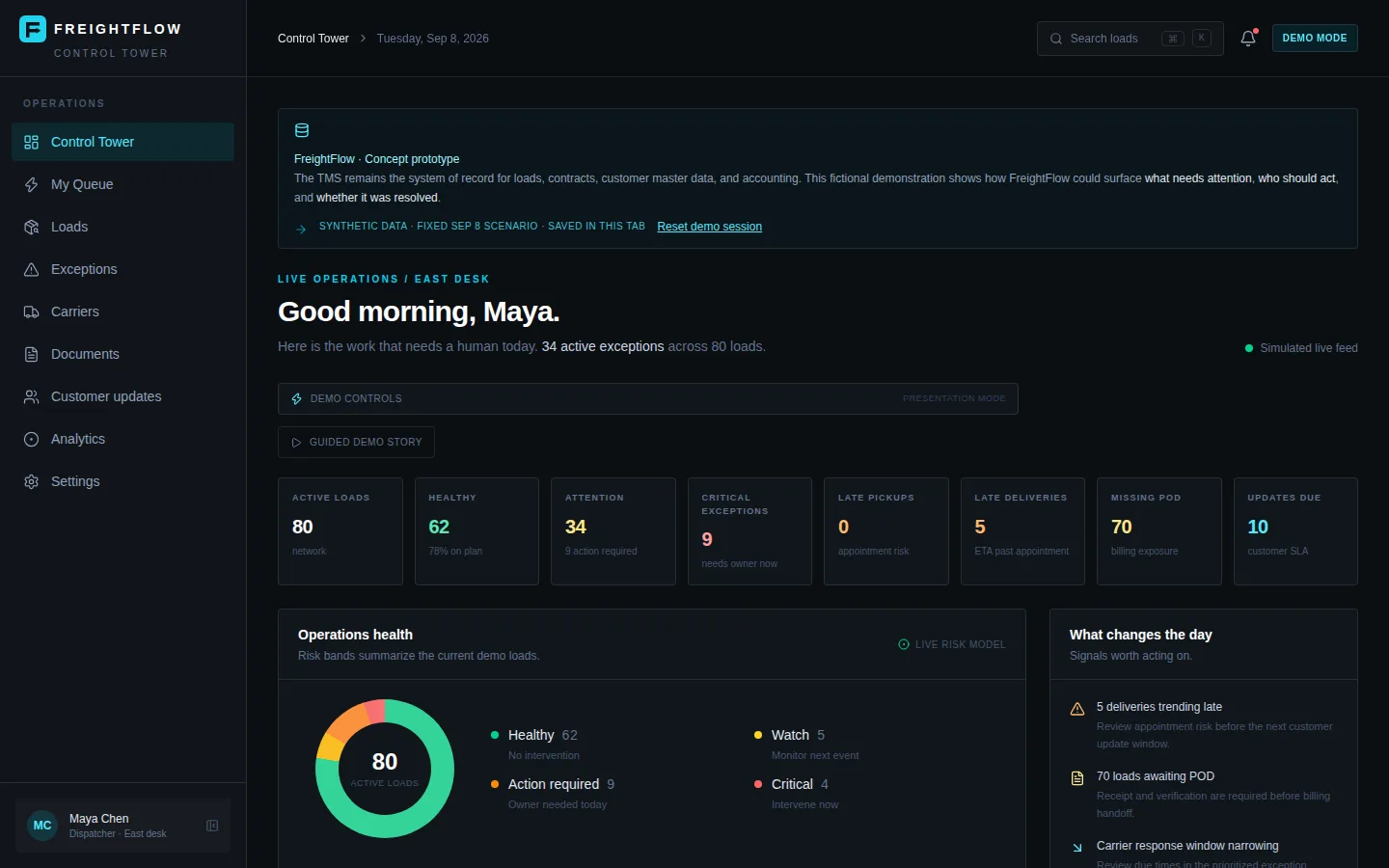
The Control Tower opens with a morning summary for the east desk: 80 active loads, 34 with an exception, and counts for late deliveries, missing proof of delivery and customer updates due. A donut chart groups loads into healthy, watch, action required and critical.
A banner on every screen says the data is synthetic and that the TMS stays the system of record.
Step 2 · Dispatcher
Work a ranked queue
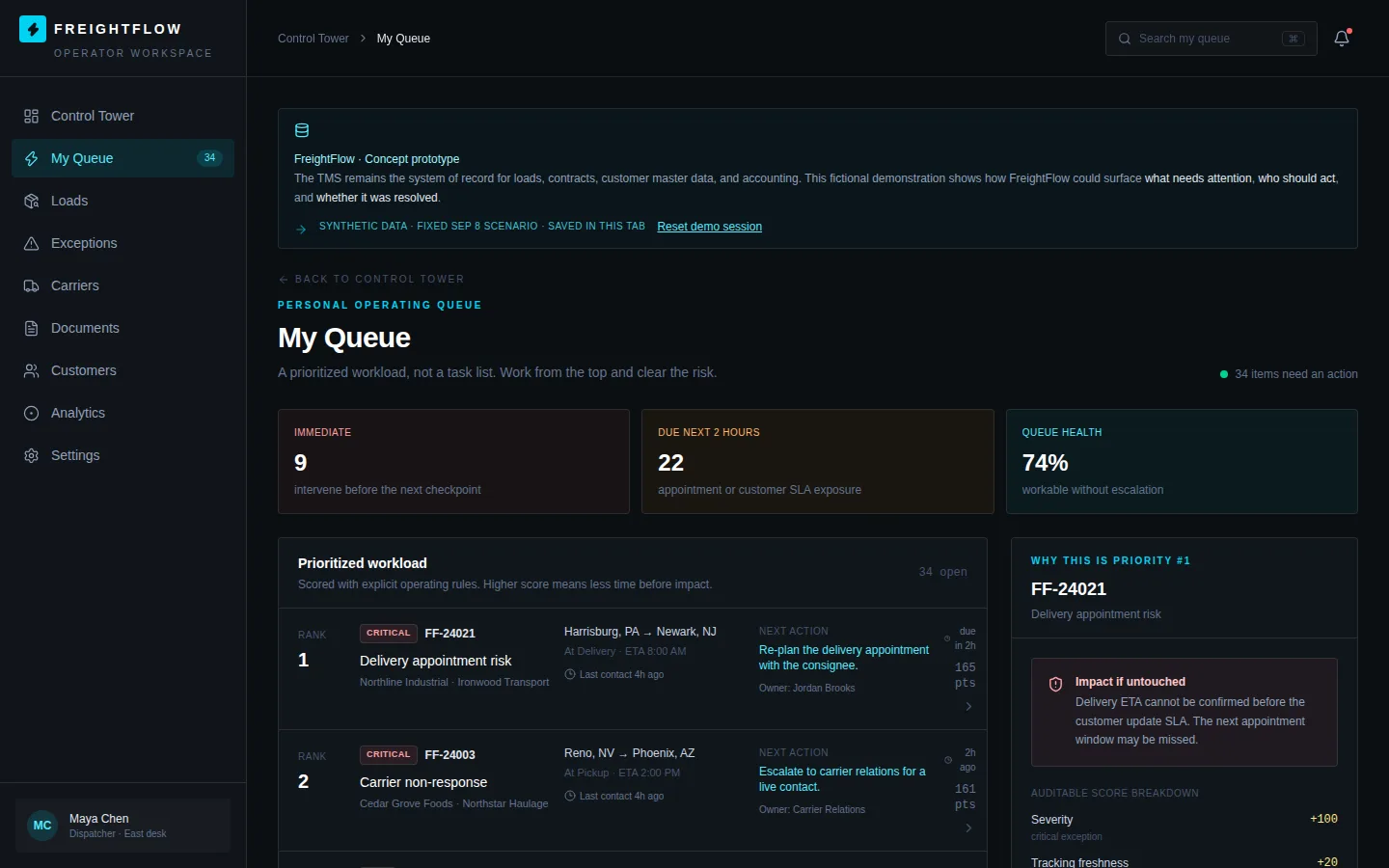
My Queue lists the dispatcher's open exceptions in priority order, each with a next action, an owner and a score. The panel on the right explains why the top item ranks first and shows the score breakdown.
Rankings come from explicit scoring rules, not a free-form task list.
Step 3 · Dispatcher
Open the load behind an exception
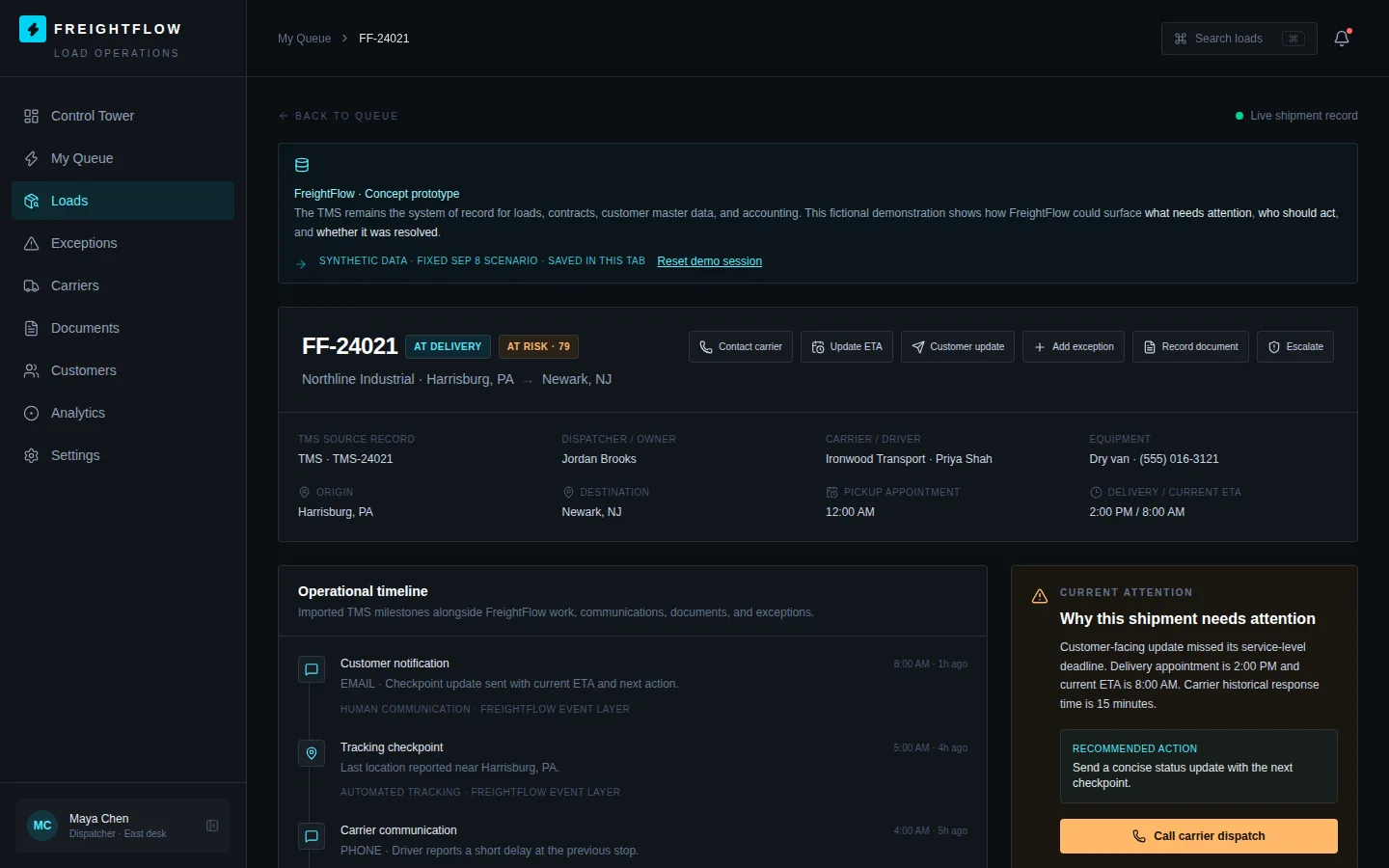
A load page shows the imported TMS record next to a timeline of tracking, carrier calls and customer notices. A side panel states why the shipment needs attention and recommends one next action.
Buttons for contacting the carrier, updating the ETA and escalating are part of the page.
Step 4 · Broker
Review customer updates before they go
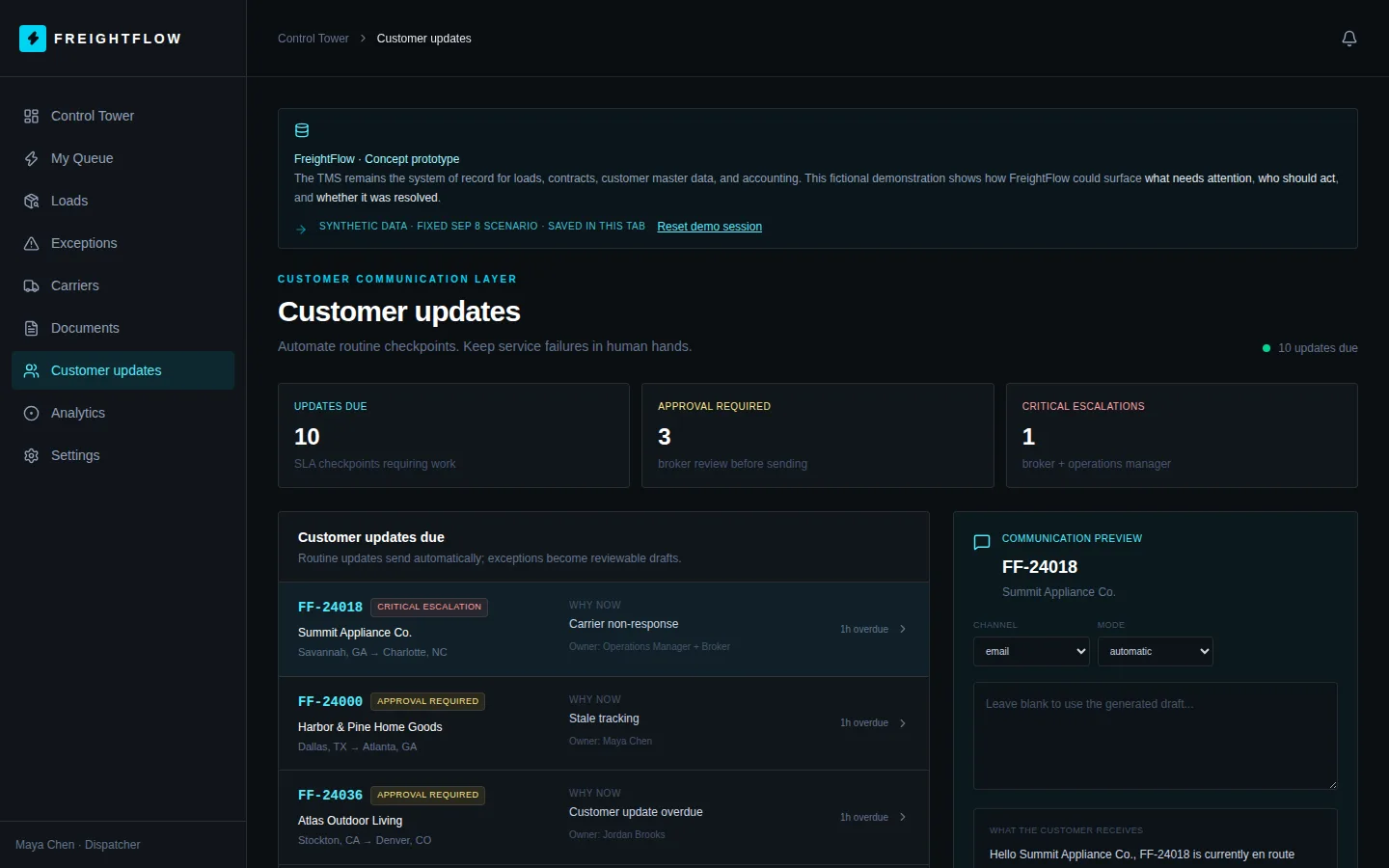
Customer updates lists checkpoints that are due, marking which need approval and which are critical escalations. A preview pane shows the channel, mode and the message the customer would receive.
Routine updates are described as automatic; exceptions become drafts for a person to review.
Step 5 · Billing
Chase documents before billing
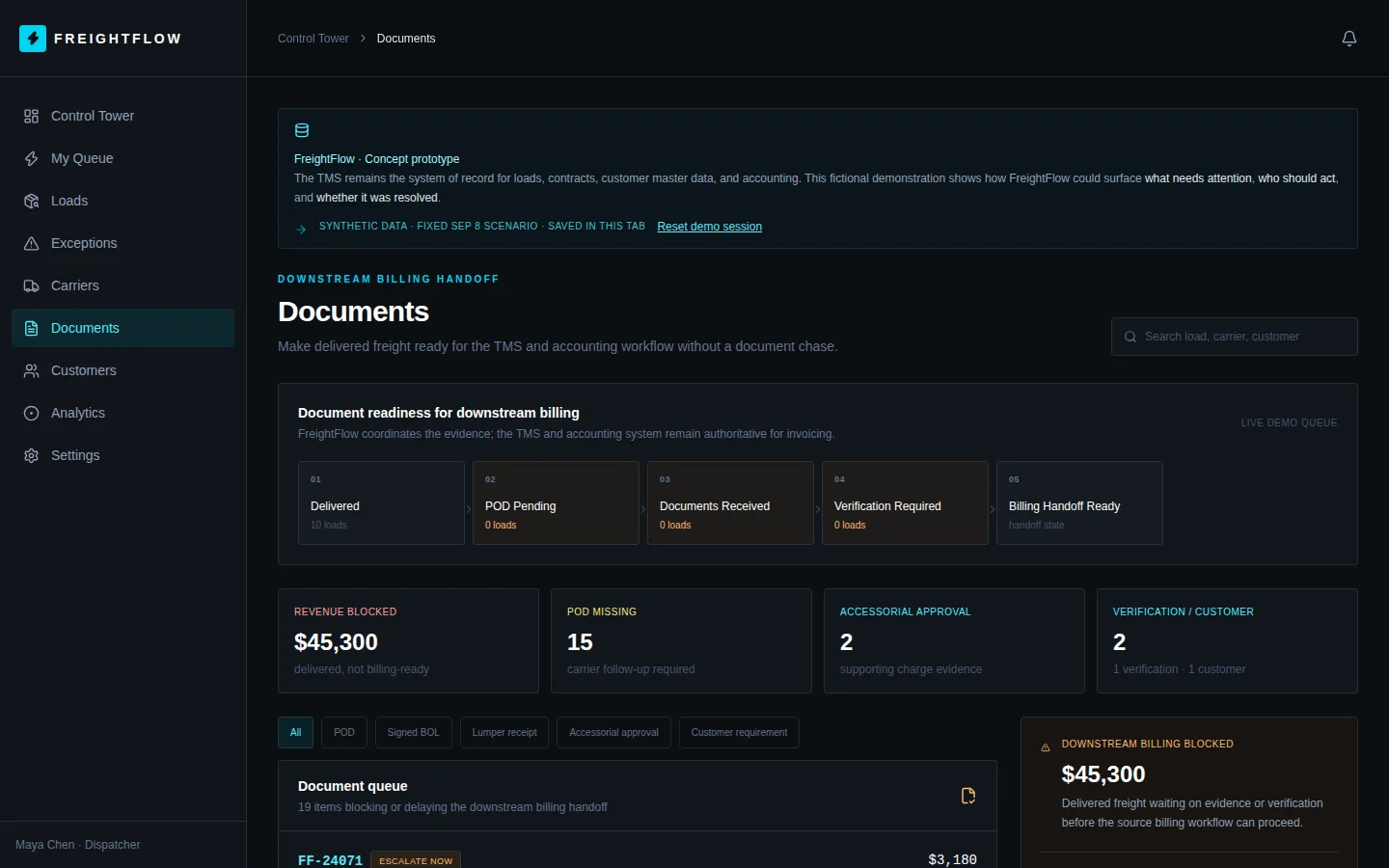
Documents tracks delivered loads through POD pending, documents received and verification, and shows how much value is waiting on missing paperwork. A filterable queue lists each blocking item.
FreightFlow coordinates the evidence; the TMS and accounting system stay authoritative for invoicing.
Step 6 · Operations manager
Inspect the rules behind the work
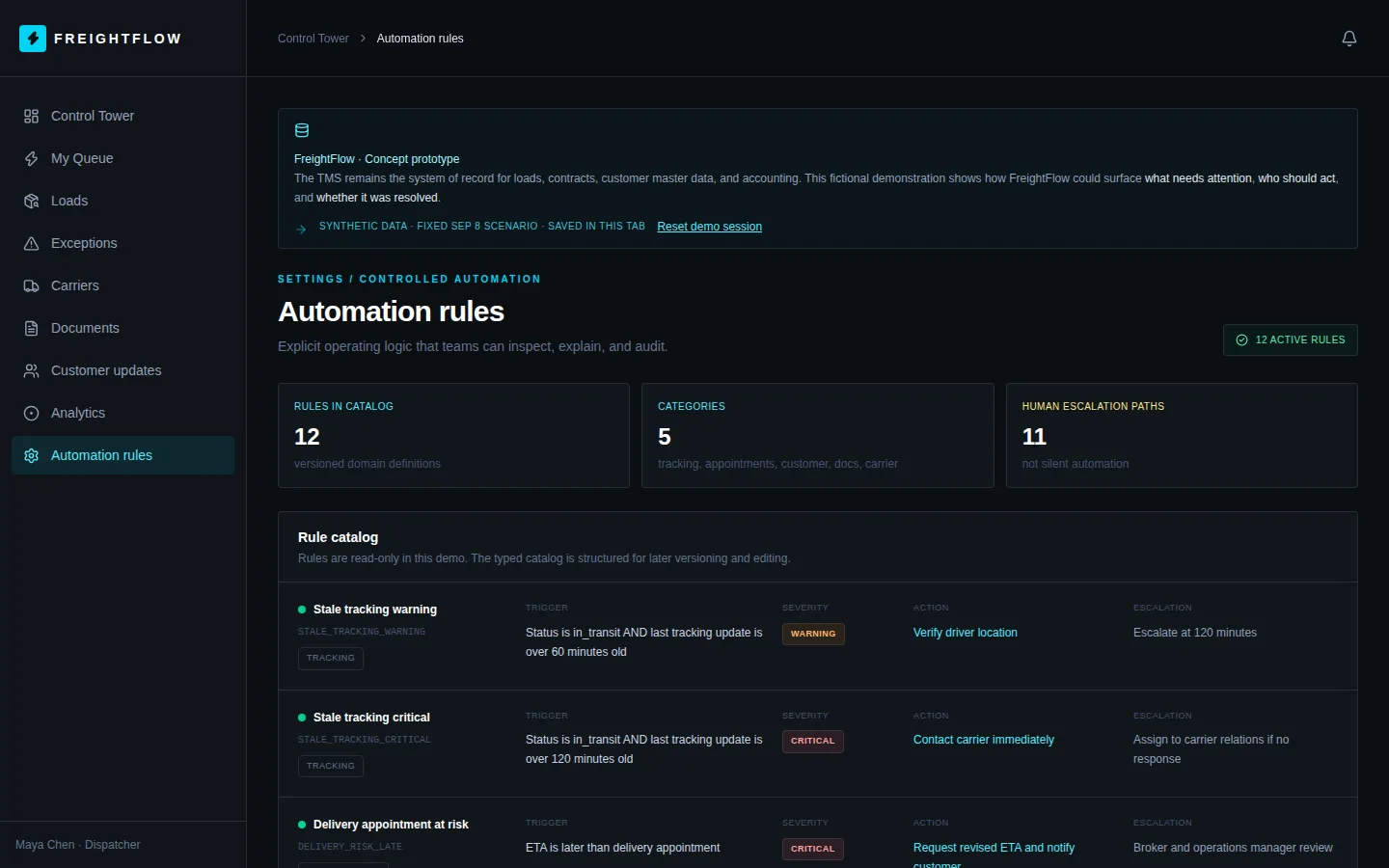
Automation rules lists the 12 rules in the catalog with their trigger, severity, action and escalation path. Each rule is readable, so a team can see why an item was raised.
Rules are read-only in this demo.
Want this beside your own TMS?
We build exception handling around the systems you already run, and you own the result.