
Walkthrough
Ellwood Flow, step by step
A manufacturing release moves from the office to the shop floor and out the door. Here is that path in five screens, with the current revision and its status visible at each point.
These are screens from the working prototype, run with example jobs and panel marks. Ellwood Flow is a concept inspired by past workplace experience, not a system adopted by that employer, and it has not been measured in a live shop.
Step 1 · Office
One release, one current revision
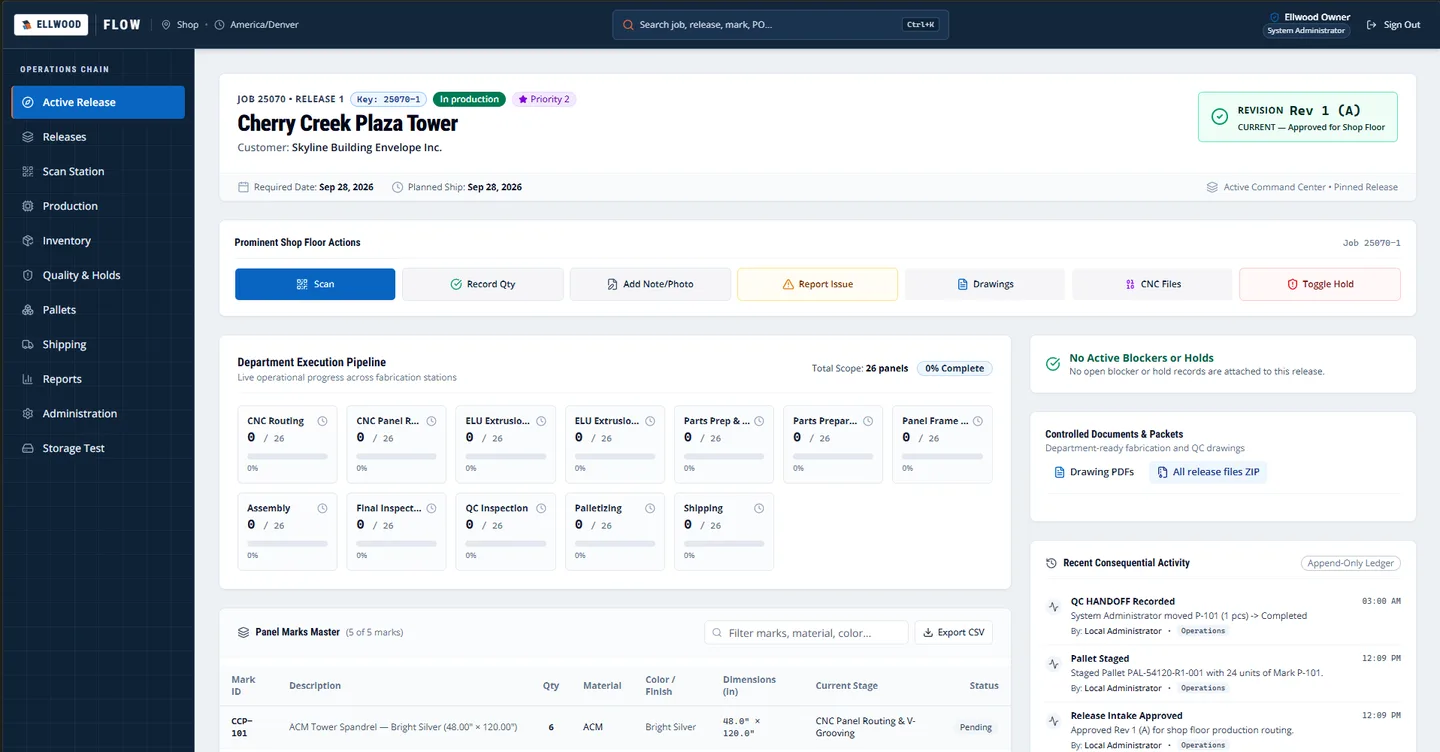
Each release is keyed by job and release number, and its page opens with the current revision and whether it is approved for the shop floor. Required dates, priority, panel marks and controlled drawings sit beside it instead of in separate folders and emails.
A blocker or hold, when there is one, shows next to the revision so nobody has to ask whether the release is actually ready.
Step 2 · Production lead
Send approved work to the right station
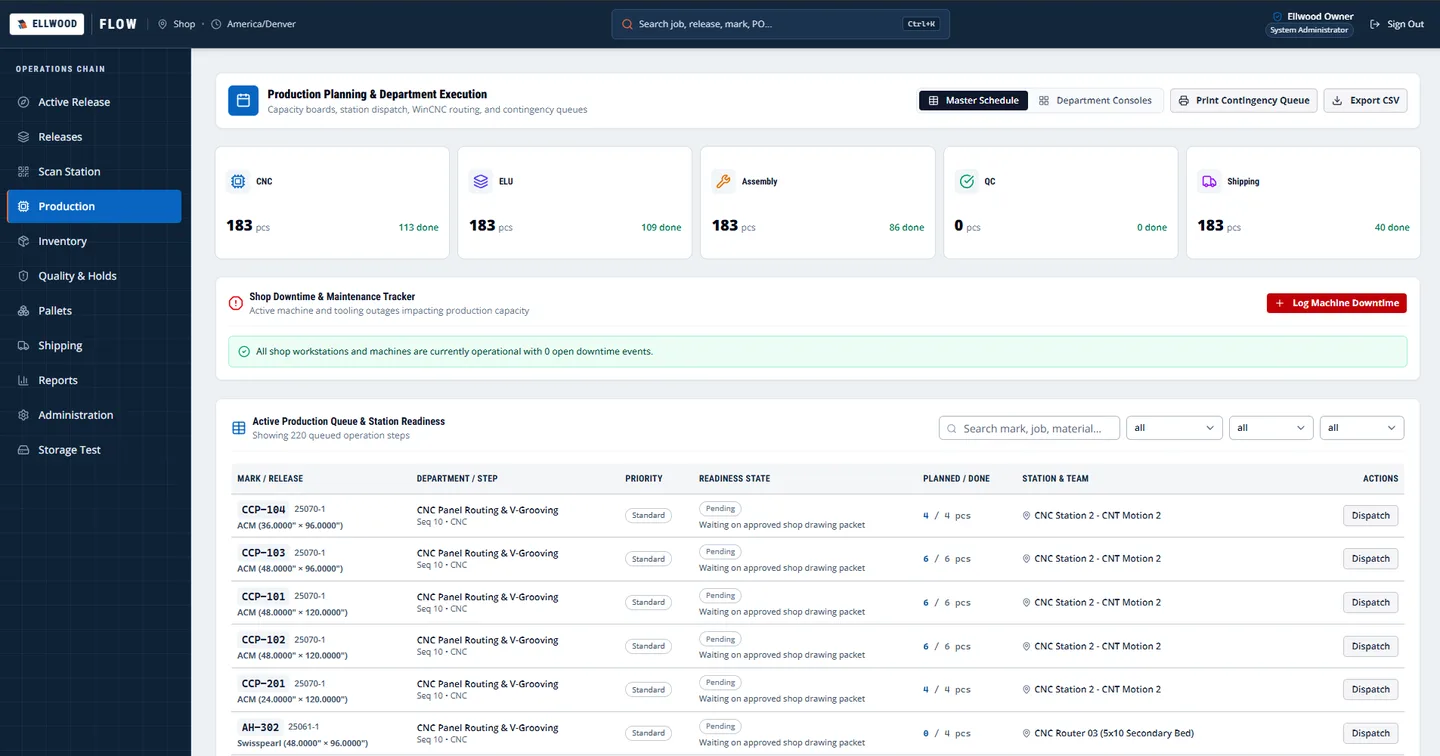
The production queue lists every operation step by panel mark, with its planned and finished counts, its station and a readiness state. Work that is still waiting on an approved drawing packet says so, in the queue, before it is dispatched.
Department totals across routing, extrusion, assembly, quality and shipping sit at the top so a lead can see where the day's work stands.
Step 3 · Shop floor
Scan a mark and the movement is recorded
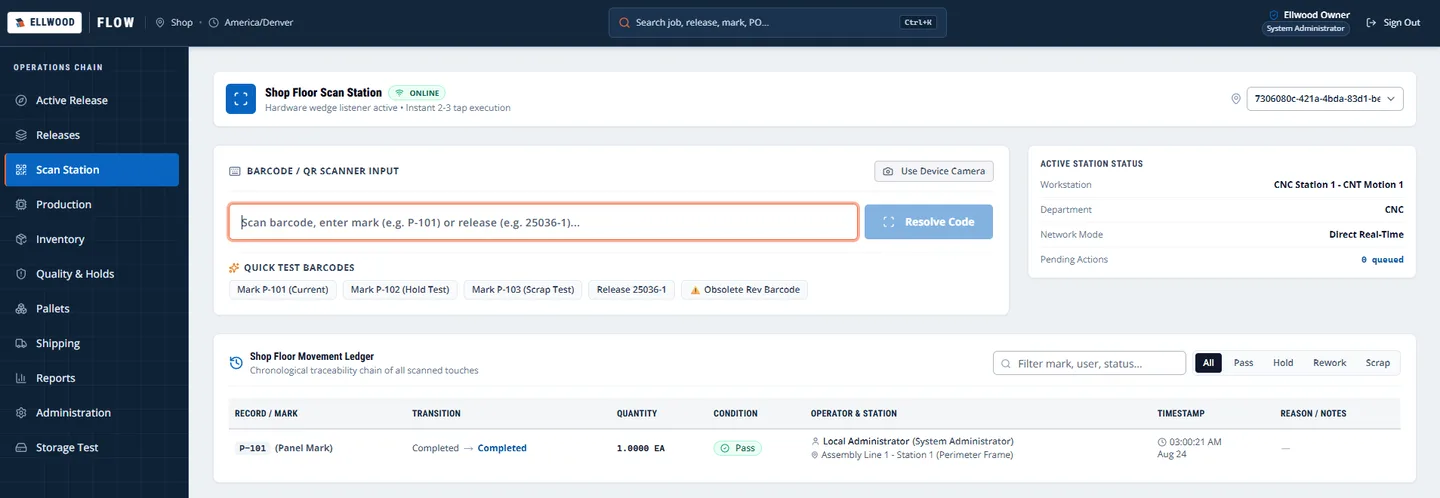
At a station, an operator scans a barcode or types a mark or release number. Every scan lands in a movement ledger with the transition, quantity, condition, operator, station and time.
The scan station also carries quick-test barcodes, including one for an obsolete revision, so the check that an old identifier is refused can be tried on the floor.
Step 4 · Quality
Record the inspection where the work is tracked
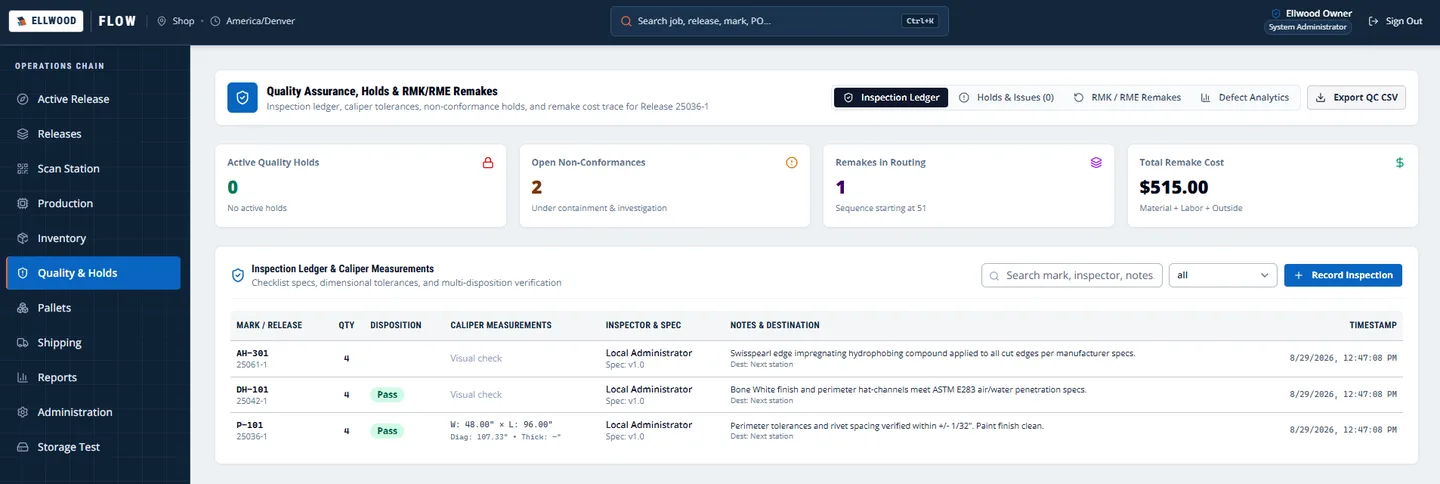
Inspections are logged against the mark and release with the disposition, caliper measurements, inspector and notes. Open non-conformances, holds and remake cost are counted at the top.
Because the ledger shares the release record, a failed inspection can hold the work instead of living in a separate spreadsheet.
Step 5 · Shipping
Plan pallets from approved revisions only
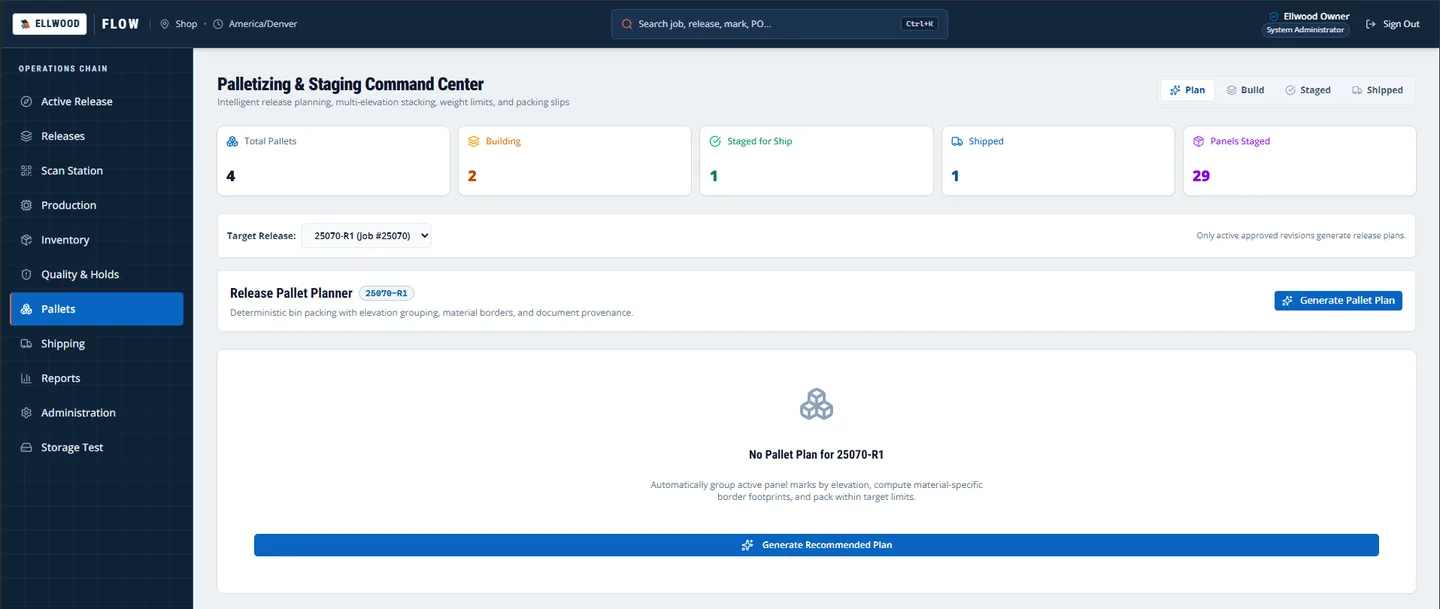
The pallet planner groups panel marks by elevation, works out material borders and packs within weight limits. It only generates a plan for a release whose revision is approved and current.
Pallets move through plan, build, staged and shipped, with counts for each at the top of the page.
Want this on your own shop floor?
We build release control around how your shop already works, and you own the result.